What is Bybit TradFi (MT5)?
MetaTrader5 (MT5), developed by MetaQuotes in 2010 is one of the most popular trading platforms worldwide. The platform's popularity mainly stems from its clean interface and the fact that users can create algorithms to automate their trading strategies. Clients who have traded previously in FX/CFDs would find MT5 familiar as the platform is commonly offered among brokers within the FX industry space.
When trading on Bybit’s TradFi (MT5) platform, traders will be able to choose from the following account modes once the asset requirements are met:
a. Zero-Fee Mode (Default Setting)
Developed using the Straight Through Processing (STP) transaction model, this default account mode enables traders to access stable spreads with no separate commissions. All fees have been included in the trades.
b. Tight-Spread Mode (By Application)
This trading mode is designed based on the Electronic Communication Network (ECN) transaction model. It offers deeper liquidity and a narrower spread on a fixed commission per lot. To access this trading mode, users must meet certain asset requirements.
For more information regarding the difference between the two account modes, please refer to the following article.
In order to get started on TradFi, users are required to first open an account with Bybit. Upon successful activation, you will be able to access your TradFi account via the Bybit platform with no additional login required.
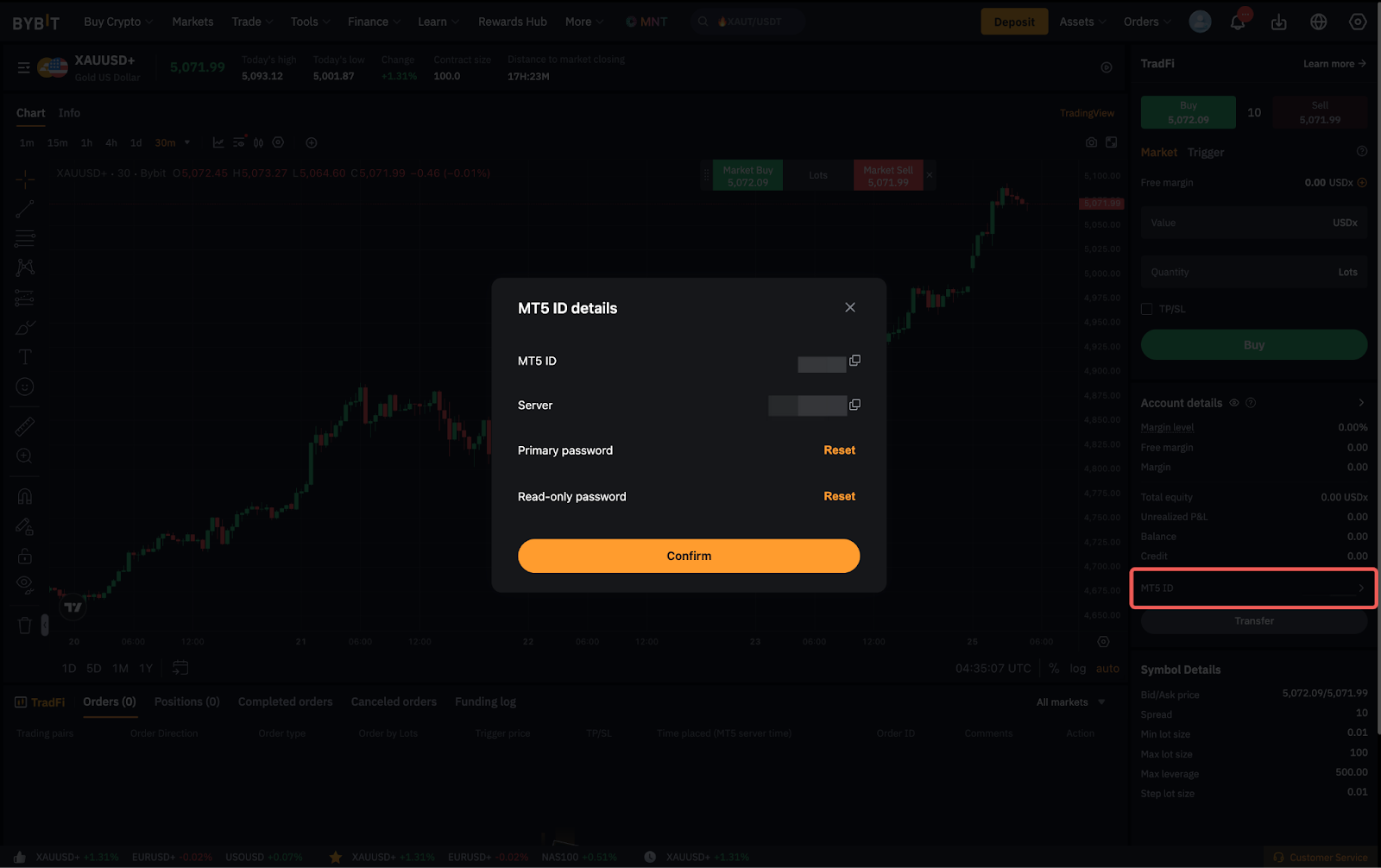
However, should you wish to trade via the MT5 platform, you will need to log in using your TradFi (MT5) login credentials, which will be different from your Bybit account (UID). You can locate your MT5 ID details under the Account Details section on the Bybit TradFi page.
Differences between Bybit TradFi and Bybit Mainnet Trading
| Bybit Mainnet | Bybit TradFi |
Platforms Available | - Website
- iOS
- Android
| - Website
- iOS
- Android
|
Trading Fees | Depending on the order execution type and VIP Level, each trade will either incur a maker or taker fee | Contracts will be charged a commission based on the amount of lot traded. For more information, please check out this link. |
Funding Fees | Charged every 8 hours* (*for most contracts) | Charged Swap Fees for overnight charges. For more information, please check out this article. |
Order Types | - Market
- Limit
- Conditional
- Trailing Stop
| - Market
- Limit
- Stop
- Stop-Limit
- Trailing Stop
|
Leverage | Flexible Leverage (Up to 100X) | Fixed and unique leverage for each symbol |
Margin Modes | Isolated, Portfolio and Cross Margin Mode | Neither. TradFi's margin mode is similar to cross margin with some minor differences |
Risk-Limit | Please refer to this page to see Bybit USDT Perpetuals Risk Limit. | TradFi utilizes a tiered margin for the margin requirements for all contracts available on MT5. Check this article to learn more about TradFi’s Tiered Margin. |
Hedging | Allows Hedging. Hedged positions occupy the margin from both legs of the trade. | Allows Hedging. In a hedged position, the margin requirement would be based on the "larger margin" leg between the two position(s). |
Margin Utilization (Active Orders) | Active Orders take up a margin from the user's Available Balance. | Active Orders do not take up additional margin |
Liquidation | Occurs when Mark Price reaches Liquidation Price. Liquidated positions would be settled based on Bankruptcy Prices. | Occurs when the Margin Level percentage falls below 50%. TradFi uses Bid/Ask Prices for liquidation settlements |
Expert Advisors (EAs) | No. Users will need to connect to Bybit's API and create their algorithm coding logic instead. | Yes. Users may import their favorite EAs from external MT5 broker platforms to be used within Bybit MT5 Client Terminal. |
Signals/Copy Trading | Yes, but only via Bybit Copy Trading | Users can decide to connect to a signal provider and automatically copy trades of professional traders. Or use TradFi Copy Trading via this link. |
Marketplace | No | MT5 offers a Marketplace for users to Buy/Sell any robots or indicators directly within the platform |
Indicators | Default indicators from TradingView | Highly customizable indicators. Alternatively, users may download directly from MQL5 forums or the marketplace |
